

Circle Calculator
Calculate area, circumference, diameter, and radius
Results
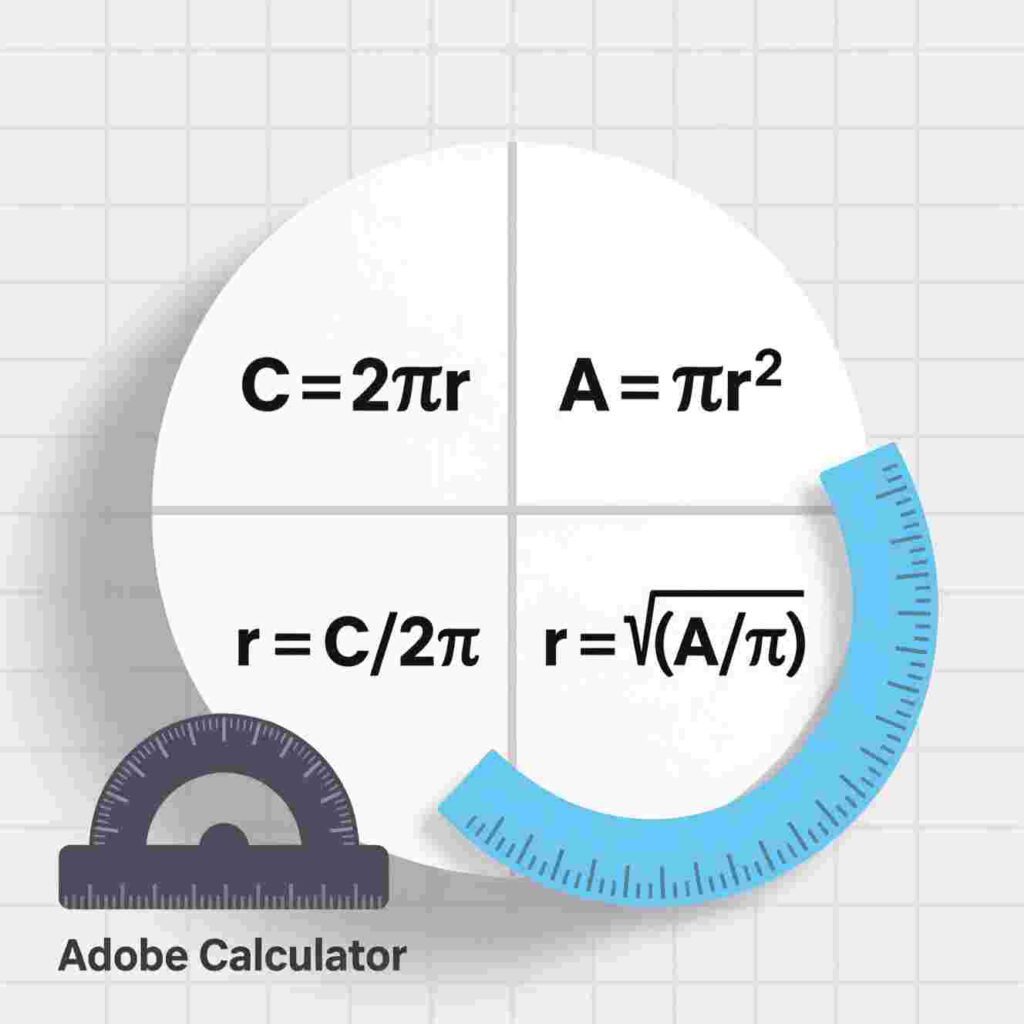
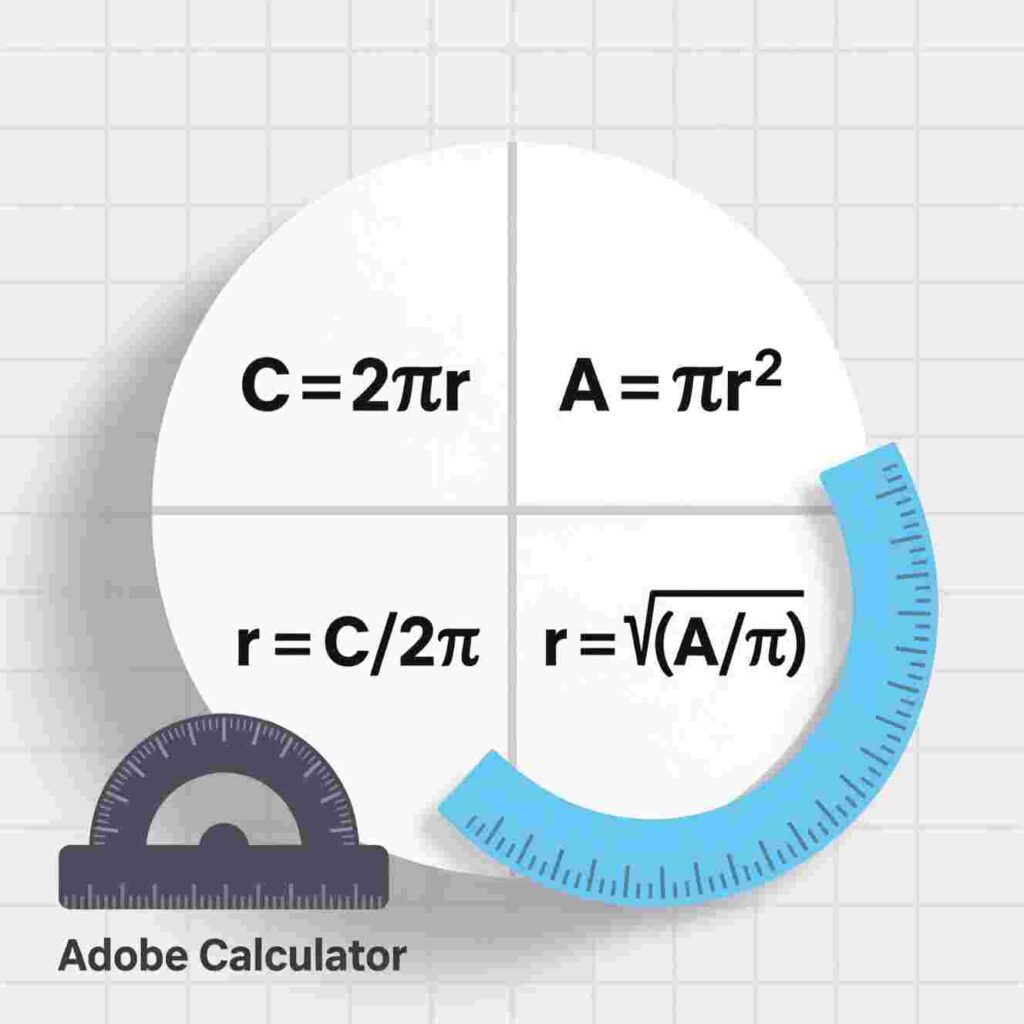
Formula Reference
• Area = π × r²
• Circumference = 2 × π × r
• Diameter = 2 × r
• π ≈ 3.14159
Calculate circle area, circumference, diameter, and radius instantly with our free Circle Calculator—simple, fast, and 100% free to boost your productivity!
Calculate circle area, circumference, diameter, and radius instantly with our free Circle Calculator—simple, fast, and 100% free to boost your productivity!
Have you ever tried to solve a math problem about circles and felt stuck? Maybe you needed to find the area of a pizza or figure out how long a bike wheel’s edge is. That’s where a Circle Calculator comes in! A Circle Calculator helps you find answers quickly without getting confused. And guess what? All our services are 100% free and easy to use!
A Circle Calculator is one of the smart tools you can use to improve your productivity. Productivity means getting things done faster and smarter. When you use a Circle Calculator, you save time. You don’t need to remember tricky formulas or do long calculations by hand. Just type in what you know—like the radius or diameter—and the Circle Calculator does the rest!
Let’s say you’re building a model volcano for science class and need to know the area of its base. You measure the radius and enter it into the Circle Calculator. In seconds, you get the exact Area! No stress, no mistakes—just clear answers.
The best part? You can use a Circle Calculator anytime, anywhere. It works on phones, tablets, and computers. Whether you’re doing homework at the kitchen table or working on a group project at school, this tool is ready to help. All you need is an internet connection.
A Circle Calculator doesn’t just give you one answer—it gives you many! Enter the radius, and it shows you the diameter, circumference, and area. Enter the circumference, and it shows you the radius and area. It’s like a math helper that speaks circle language!
Using a Circle Calculator also helps you learn. When you see how changing the radius affects the area, you start to understand how circles work. You’re not just copying answers—you’re building your math brain! This kind of learning makes schoolwork easier and more fun.
But a Circle Calculator isn’t just for students. Artists use it to draw perfect circles. Gardeners use it to plan round flower beds. Even game designers use it when creating circular objects in video games! Anyone who needs quick, accurate circle math can use this tool.
And remember—our Circle Calculator is 100% free. You don’t need to sign up, pay money, or watch ads. It’s made to help you learn and grow. That’s why we keep it simple, clear, and fast.
Now, imagine you have a big project due tomorrow. You need to design a circular track for toy cars. With a regular pencil and paper, it might take 20 minutes to calculate everything. But with a Circle Calculator, you finish in 2 minutes! That extra time? You can use it to build your track, test your cars, or even take a break.
Tools like the Circle Calculator show how technology can make life easier. They turn hard problems into simple steps. When you use smart tools, you become more productive—and proud of what you can do!
So next time you face a circle problem, don’t panic. Open the Cir Calculator, type in what you know, and let it do the heavy lifting. You’ll get the right answer, learn something new, and finish your work faster.
In a world full of busy days and big ideas, small tools like the Cir Calculator make a big difference. They help you focus, save time, and feel confident in your work. Plus, they’re always there when you need them—free, friendly, and ready to go!
Try the Calculator today. Your future self (and your math homework) will thank you!
Circle Calculator—a smart, no-cost tool that helps students, creators, and problem-solvers work faster and smarter. Part of our suite of 100% free productivity tools!
The Tools You Use To Improve Productivity
Have you ever looked at a pizza and wondered how big it really is? Or tried to draw a perfect circle for a school project—but it came out lopsided? What if you could solve problems like these in seconds, without getting frustrated or using a ruler a million times?
Meet your new best friend: the Circle Calculator!
Yes, a Circle Calculator is a real thing—and it’s way more fun than it sounds. It helps you figure out how big a circle is, how long around it goes, and even how much space it covers. And the best part? It’s 100% free, super easy to use, and works right in your web browser.
In this article, you’ll learn how a Circle Calculator can help you with homework, art, games, and even baking! Plus, you’ll discover other simple, free tools that help you get more done—so you have extra time for what you love.
Let’s roll right in (pun intended!).
What Is a Circle—and Why Should You Care?
A circle is a shape with no corners. Every point on its edge is the same distance from the center. Think of a clock, a coin, a donut, or the sun in your drawings—they’re all circles!
Circles are everywhere. That’s why understanding them helps you in real life:
You bake a round cake and need to know how much frosting to use.
You design a robot with wheels and need them to roll smoothly.
You play a board game with circular spaces and want to measure them.
But measuring circles isn’t like measuring squares. You can’t just use a ruler and multiply length × width. Circles need special math—and that’s where the Circle Calculator shines.
Tool #1: The Circle Calculator for Homework Help
In math class, you might learn about a circle’s radius, diameter, circumference, and area. These sound fancy, but they’re just different ways to describe a circle.
Radius: The distance from the center to the edge.
Diameter: The full width (that’s radius × 2).
Circumference: How long the edge is.
Area: How much space the circle covers.
If your teacher says, “Find the area of a circle with radius 5 cm,” you could do the math yourself (Area = π × radius²). But if you’re still learning, or just want to check your work, a Circle Calculator does it for you—in one click!
You type in what you know (like radius), and it gives you everything else. No stress. No mistakes. Just clear answers.
And guess what? You can use a Circle Calculator again and again—perfect for practice!
Tool #2: The Pizza Size Circle Calculator
Let’s say your family orders pizza. One place sells a 10-inch pizza for $8. Another sells a 14-inch pizza for $12. Which is the better deal?
You might think, “14 is only a little bigger than 10, so $12 seems fair.” But circles don’t work that way! A slightly bigger diameter means much more pizza.
Use a Circle Calculator to find the area of each:
10-inch pizza → radius = 5 → area ≈ 78.5 square inches
14-inch pizza → radius = 7 → area ≈ 153.9 square inches
For just $4 more, you get almost twice as much pizza! The Circle Calculator helps you spot deals like this every time.
Now you’re not just hungry—you’re smart hungry!
Tool #3: The Art Project Circle Calculator
You’re making a poster with big, colorful circles. But you need all of them to be the same size—or maybe each one bigger than the last.
Instead of guessing, use a Circle Calculator to plan
Want a circle that’s exactly 20 inches around? Type “circumference = 20” into the Circle Calculator, and it tells you the radius you need to draw.
Now your art looks neat, professional, and totally cool. Teachers will be impressed—and you’ll save time fixing messy circles!
Tool #4: The Garden Plan Circle Calculator
Helping your family plant a circular flower bed? You’ll need to know how much soil or mulch to buy. That depends on the circle’s area.
Measure the radius (from center to edge), type it into a Circle Calculator, and boom—you know the area in square feet.
No more buying too much dirt… or running back to the store because you ran out!
The Circle Calculator turns gardening into a math adventure.
Tool #5: The Bike Wheel Circle Calculator
Wheels are circles! If you’re building a toy car, a robot, or even measuring how far your bike goes with one turn, you need the wheel’s circumference.
Wrap a string around the tire, measure it—that’s the circumference. Or, if you know the radius, plug it into your Circle Calculator to find the distance it rolls in one spin.
Now you can predict how far your invention will travel. Science + math = awesome results!
Tool #6: The Craft Supply Circle Calculator
Making paper snowflakes? Designing a paper plate sun? Cutting out round stickers?
A Circle Calculator helps you figure out how many circles you can cut from one sheet of paper.
For example:
Your paper is 12 inches wide.
You want circles with a 3-inch diameter.
How many fit across? 12 ÷ 3 = 4.
If your Circle Calculator tells you the exact size you need, you won’t waste paper or scissors time.
Now you craft smarter—not harder.
Tool #7: The Game Board Circle Calculator
Designing your own board game? Maybe it has circular spaces or a spinning wheel.
Use a Circle Calculator to make sure every space is fair and evenly sized. If the whole board is a circle with a 16-inch diameter, you can calculate the area and divide it into equal sections.
Your friends will love how professional your game looks—and you’ll have bragging rights as the creator!
Tool #8: The Science Fair Circle Calculator
For your science project, you test how ball size affects how far it rolls. You use balls of different diameters: 2", 3", and 4".
But to compare fairly, you need to know their surface areas or volumes (which start with circle math!).
A Circle Calculator gives you the base numbers fast. From there, you can explore deeper—like how air resistance changes with size.
Your project won’t just be fun—it’ll be accurate, too.
Tool #9: The Cookie Recipe Circle Calculator
Baking round cookies? Want them all the same size so they bake evenly?
If your cookie cutter has a 2-inch radius, a Circle Calculator tells you each cookie covers about 12.57 square inches. If your baking sheet is 15×10 inches (150 square inches), you can fit roughly 11–12 cookies without crowding.
Now your cookies come out golden, not burnt or raw! The Circle Calculator helps you cook like a chef.
Tool #10: The “What If?” Circle Calculator
Curious minds love asking, “What if…?”
What if Earth were a perfect circle—how big would it be?
What if I drew a circle as tall as my house—how much paint would I need?
What if a basketball and a soccer ball were flat circles—how would their areas compare?
A Circle Calculator turns wild questions into real answers. And every time you use it, you learn more about the world—and your own creativity.
That’s the magic of the Circle Calculator: it’s not just for math class. It’s for dreamers, builders, bakers, artists, and inventors.
Why Our Circle Calculator Is Perfect for Kids
Not all online tools are made for kids. Some are full of confusing buttons, pop-up ads, or tricky menus.
Ours is different. Our Circle Calculator is:
100% free (no hidden costs)
Easy to use (only type a number and click)
Safe (no sign-ups, no tracking)
Fast (answers in less than a second)
Clear (shows labels like “radius” and “area” in big, friendly text)
You don’t need to be a math expert. You only need curiosity—and maybe a love for pizza or robots!
And remember: you can use the Circle Calculator as many times as you want. Explore. Play. Learn. That’s what it’s for.
Other Free Tools That Boost Your Productivity
The Circle Calculator is powerful—but it’s just one tool in your productivity toolbox. Here are more free helpers you’ll love:
- Daily Planner
Write your 3 most important tasks each morning. Check them off as you go! - Pomodoro Timer
Work for 20 minutes, then take a 5-minute break. Stay focused without burnout. - Reading Tracker
Color a star for every book you finish. Watch your reading galaxy grow! - Savings Goal Chart
Draw a thermometer. Fill it up as you save for a toy, game, or trip. - Free Drawing Apps
Sketch your inventions, stories, or dream houses—no paper needed.
All these tools help you do more with less stress. And like the Circle Calculator, they’re free, simple, and built for kids.
How to Stay Focused While Using Tools
Tools help—but only if you use them wisely. Try these tips:
Use one tool at a time. Don’t open five tabs. Focus on one job.
Set a timer. Give yourself 10 minutes with the Circle Calculator, then move on.
Ask questions. If something doesn’t make sense, ask a teacher, parent, or friend.
Remember: you’re the boss. The tool only helps you win.
Real-Life Example: Leo’s Circle Adventure
Meet Leo, age 10. He loves building things—from cardboard spaceships to LEGO race cars. This week, he used the Circle Calculator to solve three real problems:
Wheels for his car: He needed wheels with a 2-inch radius. The Circle Calculator told him the circumference was about 12.56 inches—so he knew how far his car would go per turn.
Pizza party math: His mom asked if a 16-inch pizza feeds more than two 10-inch ones. Leo used the Circle Calculator, found the areas, and proved that the big pizza gives more food!
Art class: He drew a sun with 8 rays. To space them evenly, he used the Circle Calculator to divide 360. His sun looked perfect!
Leo didn’t become a genius overnight. He just used smart tools—like the Circle Calculator—to turn ideas into reality.
You can do the same.
Why Free Tools Matter for Every Kid
Not every family can afford paid apps or software. That’s why free tools are so important.
When a Circle Calculator is 100% free and easy to use, every kid—whether they live in a city, a town, or a countryside farmhouse—gets the same chance to learn, create, and explore.
That’s fairness. That’s kindness. And that’s how we help every child shine.
You Don’t Need to Love Math to Use a Circle Calculator
Some kids say, “I’m not good at math.” That’s okay! A Circle Calculator is like training wheels for your brain.
It helps you while you’re learning. Over time, you’ll start to understand why the formulas work. But even if you don’t—no problem! The Circle Calculator still gives you the right answer, so you can keep going.
And guess what? Engineers, architects, chefs, and video game designers use circle math every day. They don’t memorize everything—they use tools like the Circle Calculator to stay accurate and fast.
So using one doesn’t mean you’re “bad at math.” It means you’re smart!
Try This Week-Long Circle Challenge!
Ready to become a Circle Calculator pro? Try one circle task every day:
Monday: Measure a plate. Find its area with the Circle Calculator.
Tuesday: Draw three circles with radii 1", 2", and 3". Compare their sizes.
Wednesday: Calculate how much bigger a 12-inch pizza is than an 8-inch one.
Thursday: Design a circular maze for a toy car. Use circumference to plan the path.
Friday: Bake round cookies. Use the Circle Calculator to space them
Saturday: Build a paper clock. Use the Circle Calculator to mark each hour.
Sunday: Write a short story where a Circle Calculator saves the day!
At the end of the week, you’ll see circles everywhere—and know how to master them.
What Makes a Tool “Easy to Use”?
A great tool should:
Work the first time you try it
Use clear words (not confusing jargon)
Load quickly
Do not ask for your email or password
Feel helpful—not overwhelming
Our Circle passes all these tests. So do our other tools. Because your time—and your brain—deserve respect.
Final Thought: Circles Are Everywhere—So Be Ready!
From planets to pancakes, wheels to water ripples, circles shape our world. Understanding them helps you solve real problems, create beautiful things, and think like a scientist.
And with the Circle Calculator, you never have to guess or stress. Just type, click, and know.
So go ahead. Open that Circle. Measure a lid, plan a game, or only play with numbers. Every time you use it, you’re not just doing math—you’re building your future.
Because productivity isn’t about doing more work.
It’s about making space for more wonder.
And circles? They’re full of it.